When you use Obsidian, there comes a point where notes pile up faster than you can organize them.
At first, a few folders and tags are enough. But over time, Inbox notes accumulate, naming conventions break, multiple notes on the same topic appear, and links become broken or disconnected.
What you need in this situation is not more notes, but a better organization system.
This is not a simple Obsidian beginner’s guide. This is an in-depth tutorial detailing how to structurally organize your Obsidian files from start to finish using Google Antigravity.
This tutorial is especially for you if:
- You use Obsidian but constantly postpone organizing your notes
- You have many notes but struggle with search and reuse
- Your Inbox notes, meeting minutes, and project notes are mixed together
- You want to use AI to build an automated Obsidian organization system
By reading this to the end, you won’t just learn “how to use Obsidian” – you will understand how to design an organization system tailored to your vault and reduce repetitive tasks using Antigravity.
Table of Contents
- Why You Need to Relearn How to Use Obsidian Now
- What Changes When You Organize Obsidian with Google Antigravity?
- Obsidian is File-Based, Making it Easy for AI to Handle
- It is Easy to Break Down Repetitive Tasks into Workflows
- The Core of Obsidian Usage: Establish Standards Before Organizing
- 1. Note Types
- 2. Tag Taxonomy
- 3. Frontmatter Usage Patterns
- 4. Filename Conventions
- 5. Separating Roles of Folders and Tags
- The First 6 Workflows to Build with Google Antigravity
- 1. Vault Audit Workflow
- 2. Taxonomy Designer Workflow
- 3. Frontmatter Normalizer Workflow
- 4. Inbox Processor Workflow
- 5. Wikilink Suggester Workflow
- 6. Duplicate Note Reviewer Workflow
- The Practical Sequence for Organizing Obsidian with Google Antigravity
- Step 1: Start with a Full Diagnosis
- Step 2: Confirm the Taxonomy First
- Step 3: Organize the Inbox Folder First
- Step 4: Create Links Later
- Step 5: Review Duplicate Candidates Last
- Step 6: Expand the Scope of Application
- Practical Example: How Messy Notes are Transformed
- Conclusion: Good Obsidian Usage Isn’t About “Writing a Lot” But “Finding it Again”
Why You Need to Relearn How to Use Obsidian Now
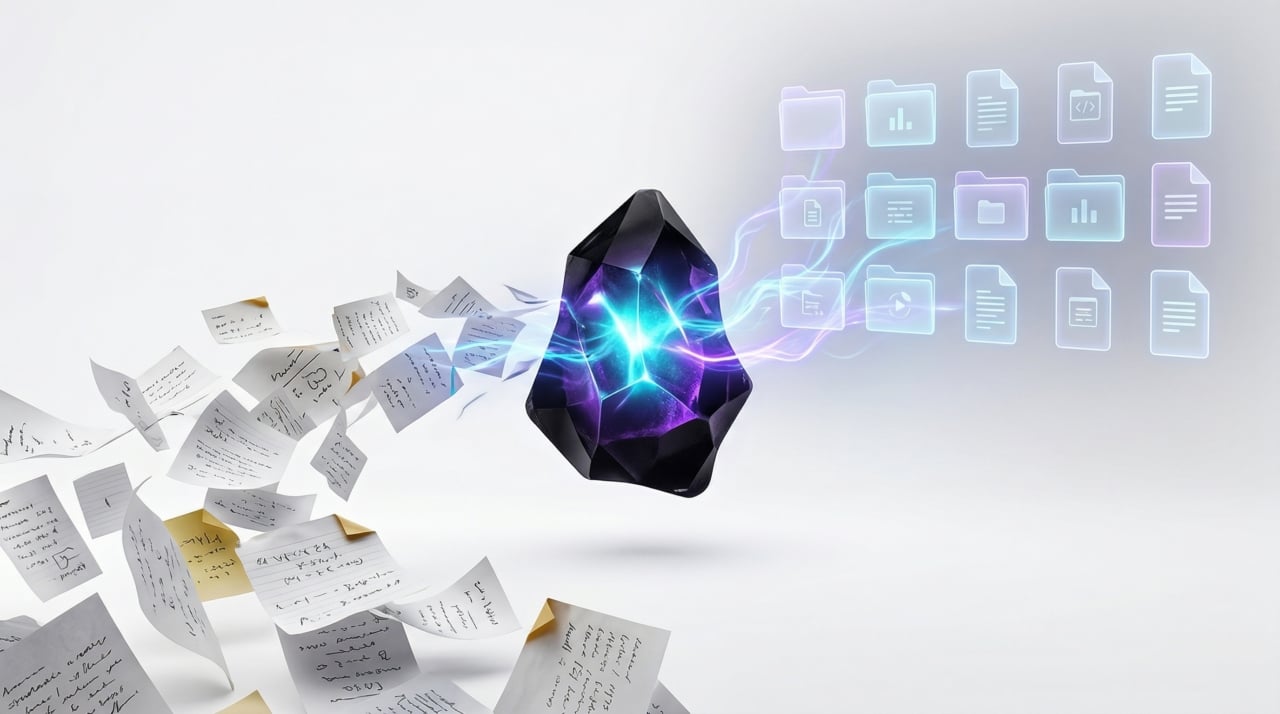
The main advantage of Obsidian is simple: your notes remain as standard Markdown files on your local computer.
As a result, you are not locked into a specific service, and you have total control over folder structures and filenames. This structure pairs perfectly with version control like Git, and is highly advantageous for AI agents to read and organize at the file level.
The problem lies in its high degree of freedom.
Obsidian doesn’t strongly enforce “how to organize.” While this is convenient initially, it leads to these problems over time:
- Inconsistent naming conventions
- Overlapping and duplicate tags
- A mix of notes with and without frontmatter
- Meeting minutes, reference materials, and idea memos mixed in a single folder
- Multiple similar notes being created
- Missing important internal links
In other words, the core of using Obsidian is not about “knowing many features,” but about creating a sustainable structure for your vault.
What Changes When You Organize Obsidian with Google Antigravity?
Google Antigravity is not a simple auto-complete tool; it is closer to an agentic development environment. It is exceptional at reading files, analyzing patterns, and organizing according to rules when given a goal by the user. These characteristics make it perfect for utilizing AI to organize Obsidian.
Obsidian is File-Based, Making it Easy for AI to Handle
Most Obsidian notes are Markdown files. Meaning, from an AI’s perspective, they are much easier to handle than a complex database. For example, it is great for the following tasks:
- Checking filename conventions
- Organizing frontmatter
- Structuring Inbox notes
- Finding duplicate note candidates
- Suggesting internal link candidates
- Drafting an organized tag taxonomy
It is Easy to Break Down Repetitive Tasks into Workflows
Trying to solve everything with one massive prompt has a high failure rate. Instead, breaking tasks down by role makes it much more stable.
- Diagnosing the current vault structure (vault-audit)
- Designing note types, tags, and status values (taxonomy-designer)
- Normalizing metadata (frontmatter-normalizer)
- Structuring Inbox notes (inbox-processor)
- Suggesting internal link candidates (wikilink-suggester)
- Reviewing duplicate note candidates (duplicate-note-reviewer)
The advantage of this structure is simple. AI doesn’t make every judgment at once; it separates its judgments by task type.
The Core of Obsidian Usage: Establish Standards Before Organizing
Most people, when their notes feel messy, immediately start changing filenames, editing tags, and merging folders. But proper Obsidian usage is the exact opposite.
You must first read the existing patterns within your vault. Before organizing, you need to verify these five things:
1. Note Types
Determine what kinds of notes exist in your vault.
- inbox / project / meeting / people
- concept / reference / journal / resource
2. Tag Taxonomy
Understand the criteria by which tags are being used.
- Topic tags
- Status tags
- Work/Personal classification tags
- Presence of duplicate tags
3. Frontmatter Usage Patterns
You must decide whether to include it in all notes or only specific notes. Usually, the fields below are sufficient.
title
aliases
tags
type
status
created
updated
4. Filename Conventions
Filenames directly impact search and linking. Usually, you choose one of three formats to use.
- Date-based: 2026-04-12 Meeting Notes
- Concept-based: How to use Obsidian
- Project-based: Project A Execution Plan
5. Separating Roles of Folders and Tags
If you redundantly store the same meaning in both folders and tags simultaneously, management becomes difficult. It is best to manage these two elements by giving them separate principles. For example:
- Folders: The nature or physical location of the note
- Tags: Topic, status, context
The First 6 Workflows to Build with Google Antigravity
Now let’s get into the practical application. Before explaining the 6 most representative workflows you can use to organize Obsidian with Google Antigravity, here is the download link for the file containing these workflow contents.
Click the button below to download and use it.
1. Vault Audit Workflow
This workflow doesn’t fix your vault directly. Instead, it diagnoses current patterns.
What this workflow does:
- Reads representative folders and note samples
- Infers note types and checks for duplicate tags
- Understands frontmatter usage patterns and filename rules
- Proposes an initial cleanup policy draft
Why this workflow is important:
The most dangerous AI automation is ignoring the current structure and forcefully overwriting it with new rules. vault-audit prevents that.
2. Taxonomy Designer Workflow
This workflow designs the optimal classification system based on the frontmatter within your vault. What this workflow does is as follows:
- Proposes canonical note types
- Proposes unified tag notation and status values
- Proposes frontmatter schema and naming conventions
- Lists deprecated tag candidates
For example, it might propose the following:
#AI, #ai, #Ai → #ai
#meeting-note, #meetings → #meeting
type: work-note, type: note, type: project-doc → type: project
3. Frontmatter Normalizer Workflow
Because this workflow conservatively organizes only metadata, you can rapidly increase searchability and consistency without drastically altering the content.
---
title: How to use Obsidian
tags:
  - obsidian
  - note-taking
type: concept
status: active
created: 2026-04-12
updated: 2026-04-12
---
4. Inbox Processor Workflow
This workflow structures messy junk notes. It shines especially when you have many notes like these:
- Temporary notes without titles
- Idea dumps
- Notes scribbled hastily during a meeting
- Resource collections containing only links
This workflow proposes titles and note types, organizes section structures, separates action items, and adds frontmatter.
5. Wikilink Suggester Workflow
Good links are the lifeblood of Obsidian. However, linking every note indiscriminately will just make it messier. This workflow avoids excessive linking and proposes only high-value links. The principles are simple:
- Connect only 2~5 strong links
- Prioritize connections with existing notes
- Forward any uncertain link suggestions for manual review
6. Duplicate Note Reviewer Workflow
This workflow finds duplicate notes, but absolutely never deletes them automatically. However, you must be careful because many notes that seem like duplicates might actually be notes with slightly different roles. Therefore, you should group duplicate notes based on the following criteria and classify them instead of deleting them.
- exact duplicates
- near duplicates
- overlap candidates
The Practical Sequence for Organizing Obsidian with Google Antigravity
This is the most important part. By following the sequence below, the failure rate is drastically reduced.
Step 1: Start with a Full Diagnosis
Do not modify the entire vault from the start; first use the vault-audit workflow to diagnose the current situation.
Recommended prompt:
Inspect this Obsidian vault using the vault-audit workflow. Infer the current organization system from folders, note names, tags, frontmatter, and link patterns. Do not bulk edit yet. First propose a safe cleanup policy and a processing order.This will allow you to see the current vault structure summary, a list of problems, a proposed processing order, and areas that require manual review.
Step 2: Confirm the Taxonomy First
If there’s no organization standard, the AI will also falter. Use taxonomy-designer to design the overall taxonomy system.
Recommended prompt:
Use the taxonomy-designer workflow to analyze this Obsidian vault. Infer the current note types, tag conventions, metadata fields, and naming patterns. Do not bulk edit yet. Propose a stable taxonomy and list any ambiguous cases for manual review.In this step, you decide the set of note types, tag notation rules, status values, frontmatter schemas, and filename conventions.
Step 3: Organize the Inbox Folder First
Instead of the whole vault, start organizing the Inbox using the frontmatter-normalizer. The reason is simple. The Inbox is usually the messiest, but it is also the best area to test out structures.
Recommended prompts:
Apply the frontmatter-normalizer workflow to notes in the Inbox folder only. Use the existing vault taxonomy. Make conservative edits and produce a review report.
Run the inbox-processor workflow on uncategorized notes in Inbox. Preserve all ideas, improve structure, and suggest filenames without deleting anything.
Step 4: Create Links Later
Many people mess with links before titles and tags. But links are most effective when created AFTER the structure is established.
Recommended prompt:
Use the wikilink-suggester workflow on recently cleaned notes in Inbox. Add only high-confidence links and report any unclear targets for manual review.Step 5: Review Duplicate Candidates Last
Duplicate inspection comes dead last. If you try to deduplicate early on, you might accidentally erase useful context.
Recommended prompt:
Run the duplicate-note-reviewer workflow across the vault. Group exact duplicates, near duplicates, and overlap candidates. Do not delete or merge automatically.Step 6: Expand the Scope of Application
Gradually extend the methods discovered above to notes in other folders.
Practical Example: How Messy Notes are Transformed
For instance, let’s assume you have a note like the one below.
[Before Organization]
Obsidian
- Tags need organizing
- Is it possible with Antigravity?
- Too many in the Inbox
- Meeting notes are mixed in too
- Should I do frontmatter?
- Workflows similar to Codex
In this state, you have ideas, but reuse is difficult. It will be organized like the following.
[Example After Organization]
---
title: Idea for Automating Obsidian Organization
tags:
  - obsidian
  - automation
type: concept
status: draft
---
# Idea for Automating Obsidian Organization
## Current Problems
- There are excessively many Inbox notes.
- Meeting minutes and general notes are mixed.
- Frontmatter rules are inconsistent.
## Directions to Review
- Apply Google Antigravity-based workflow structures
- Prioritize organizing Inbox
- Standardize note types
- Organize tag taxonomy
## Next actions
- Execute vault-audit
- Confirm classification criteria with taxonomy-designer
- Start structuring from the Inbox folder
The core isn’t about making it look pretty. It is about making it searchable, re-connectable, and capable of leading to the next action.
Conclusion: Good Obsidian Usage Isn’t About “Writing a Lot” But “Finding it Again”
Obsidian is not a simple memo app. If used well, it becomes a system for accumulating thoughts; if used poorly, it becomes a graveyard for notes. Therefore, the truly important aspect of using Obsidian is summarized in the following three lines.
- First, diagnose the structure
- Set classification criteria, then organize starting from a small scope
- Don’t ask AI to do everything at once; break it down into workflows
When you attach Google Antigravity to this, organizing Obsidian is no longer something to postpone; it becomes a repeatable workflow.
It doesn’t need to be perfect from the start. However, starting today, you can begin at least like this.
- Review the current state with vault-audit
- Establish standards with taxonomy-designer
- Organize from the Inbox folder
- Leave internal links and duplicate reviews for the end
By just following this sequence, your scattered notes will begin to gradually transform into a searchable knowledge base.